
 Facebook
 Twitter
 LinkedIn

Password protect any file. Share it securely from Gmail. Secure Document Sharing by cloudHQ gives you control over every file you share, before and after you hit send. Use it to send contracts, tax documents, financial reports, medical records, and other sensitive files with password protection, expiration dates, location limits, and a full download report. Available as a Chrome extension, Edge extension, Google Workspace Add-On, and web wizard.
Problem: Standard Share Links Give You No Control
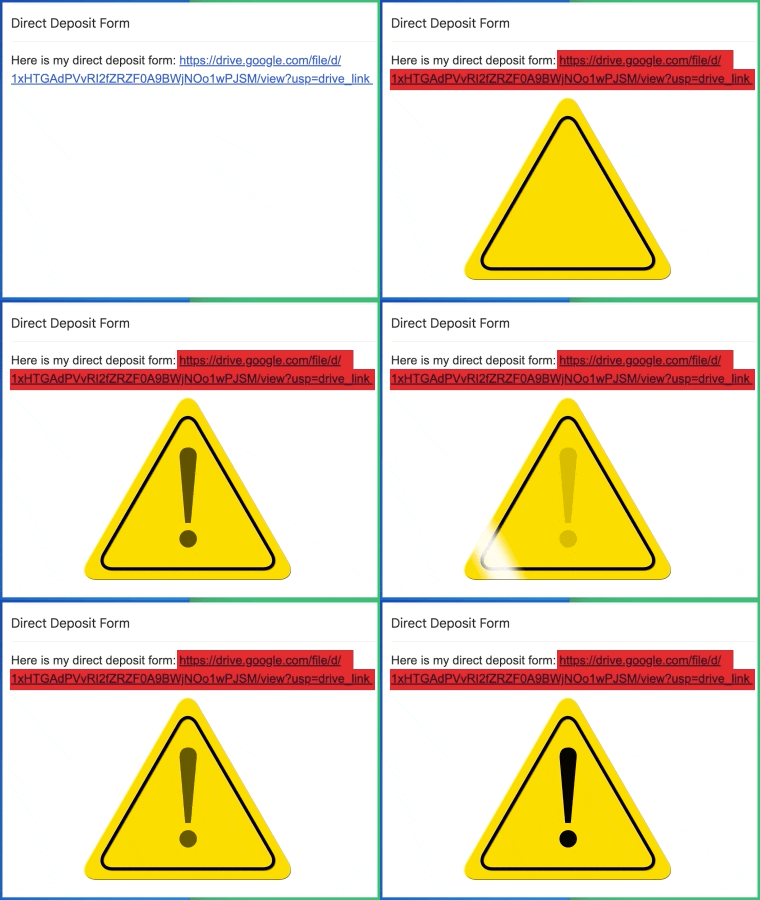
Attaching a file to an email or sharing a Google Drive link takes one click, but after that, you lose control. The link can be forwarded, the file can be downloaded forever, and you have no idea who actually opened it or where they were. For contracts, tax documents, medical records, and client files, that is a real risk.
Secure Document Sharing keeps you in control after the link is sent.
Send Password Protected Files Right From Gmail
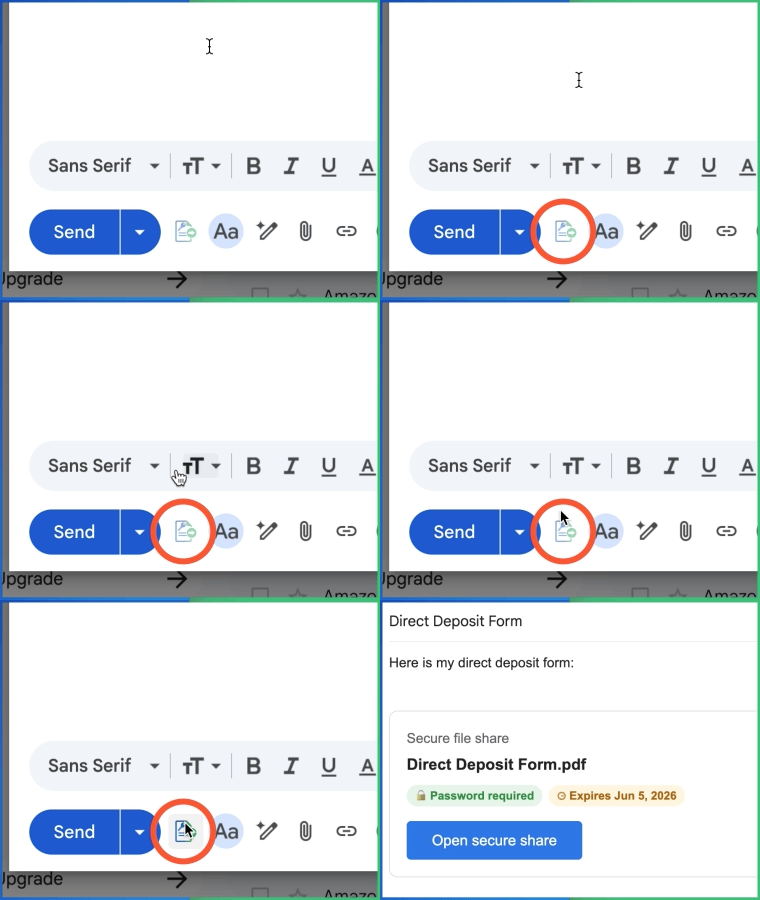
Compose your email in Gmail as usual, click the Secure Document Sharing button, and pick your file. Set a password, an expiration date, and any location rules, and the protected link is inserted directly into your message.
Your recipient gets a clean, professional email. You get a second layer of security on every file, plus a report of exactly what happens to it next. No attachments, no size limits, no lost control.
How to Password Protect a PDF, Excel File, Word Document, or Any File
You do not need Adobe Acrobat, Microsoft Office, or any special software to password protect a file. Secure Document Sharing protects any file type the same way, in three steps:
- Pick the file in Gmail or Google Drive
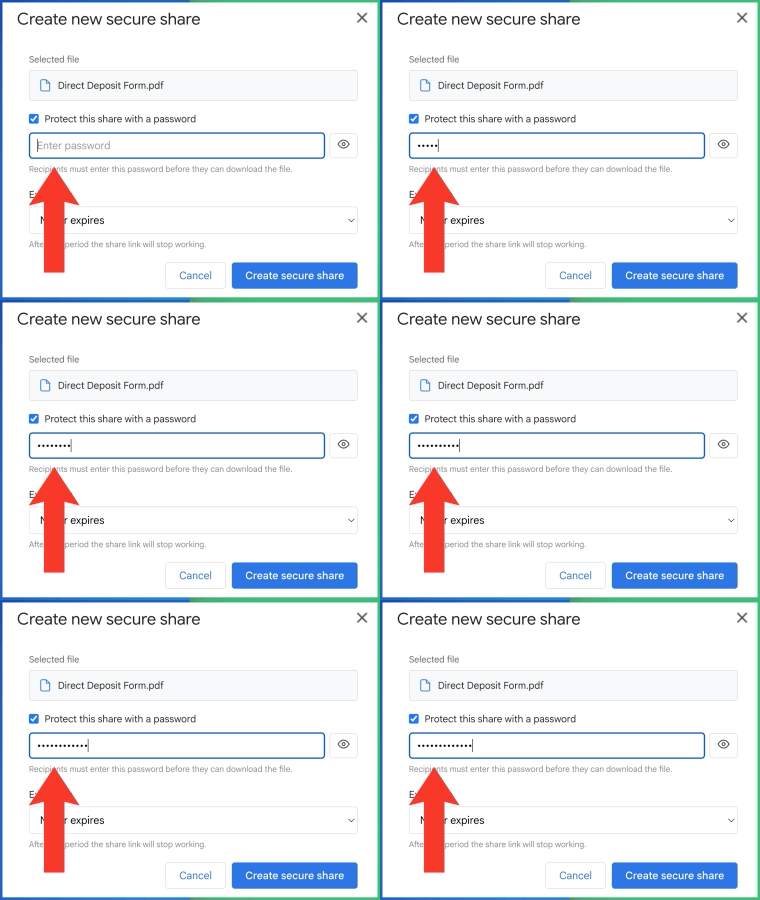
- Set a password (or auto-generate a strong one), and expiration date
- Create the secure share, and Send the protected link
The file itself never changes and never leaves your Google Drive. The protection lives on the share link, so you can change the password, pause the share, or stop it entirely at any time.
How to Password Protect a PDF
Contracts, invoices, and reports are usually PDFs. Instead of encrypting the PDF itself and emailing the password separately, send one protected link. The recipient enters the password to view or download, and you see exactly when they did.
How to password protect an Excel file
Excel passwords are easy to lose and hard to manage across versions. With a protected share link, your spreadsheet stays in Google Drive, the recipient always gets the latest version, and access ends when you say so.
How to password protect a Word document
Word file protection varies by version and can be stripped when the file is copied. A protected link works the same for every recipient, on every device, with no software required on their end.
How to password protect a zip file or folder
Instead of zipping a folder and emailing it, share the folder or archive from Google Drive as one protected link. Large folders, gigabytes in size, work fine.
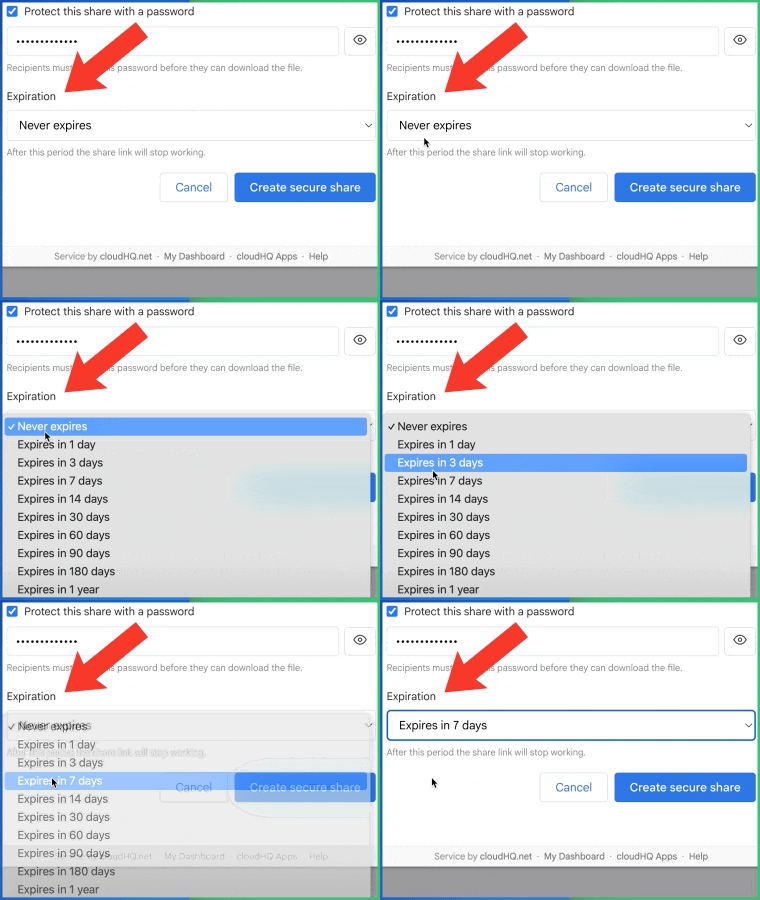
Set Expiration Dates, Pause, or Stop Sharing Anytime
Every secure link can expire automatically on the date and time you choose. After that, the file cannot be accessed, even by someone who still has the URL and password.
Plans change, so you can also pause a share temporarily or stop it entirely, the moment you need to. Send a proposal, close the deal, kill the link.
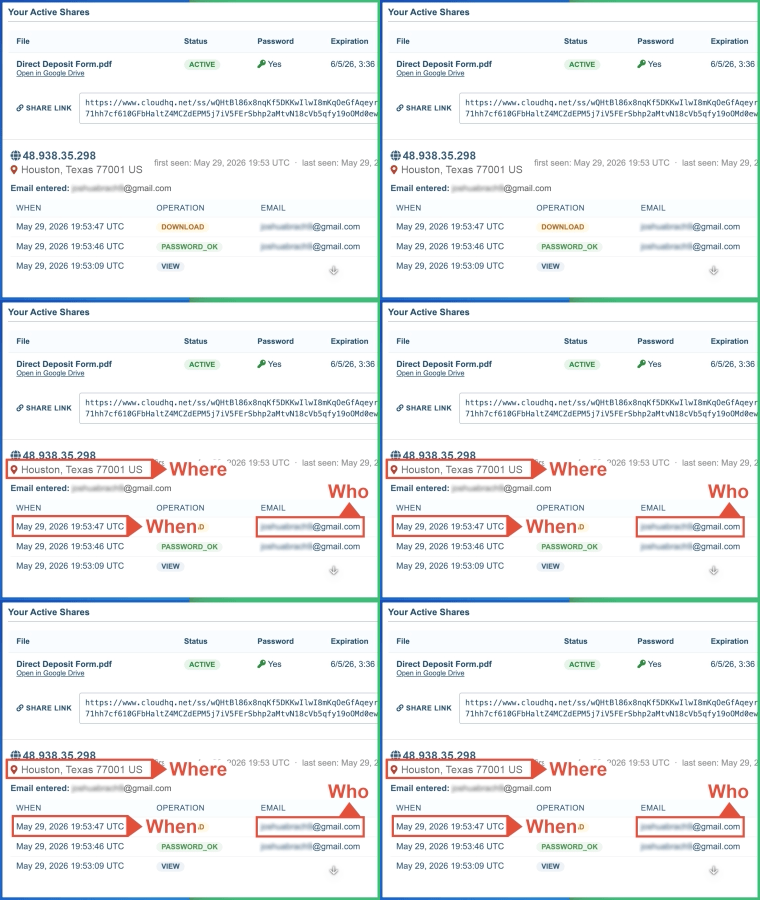
Track Every Download: Who, When, and Where
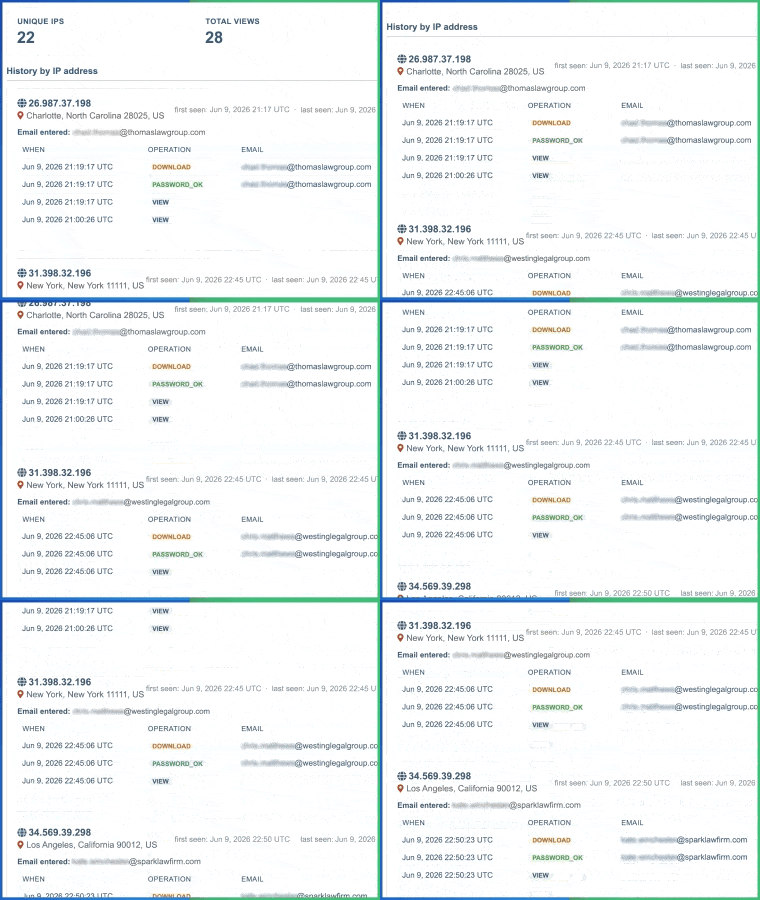
Each share link generates a detailed report showing when the file was opened, the IP address and approximate location of every download, and how many times each recipient accessed it. Stop guessing whether your contract was reviewed.
It Works From Google Drive Too
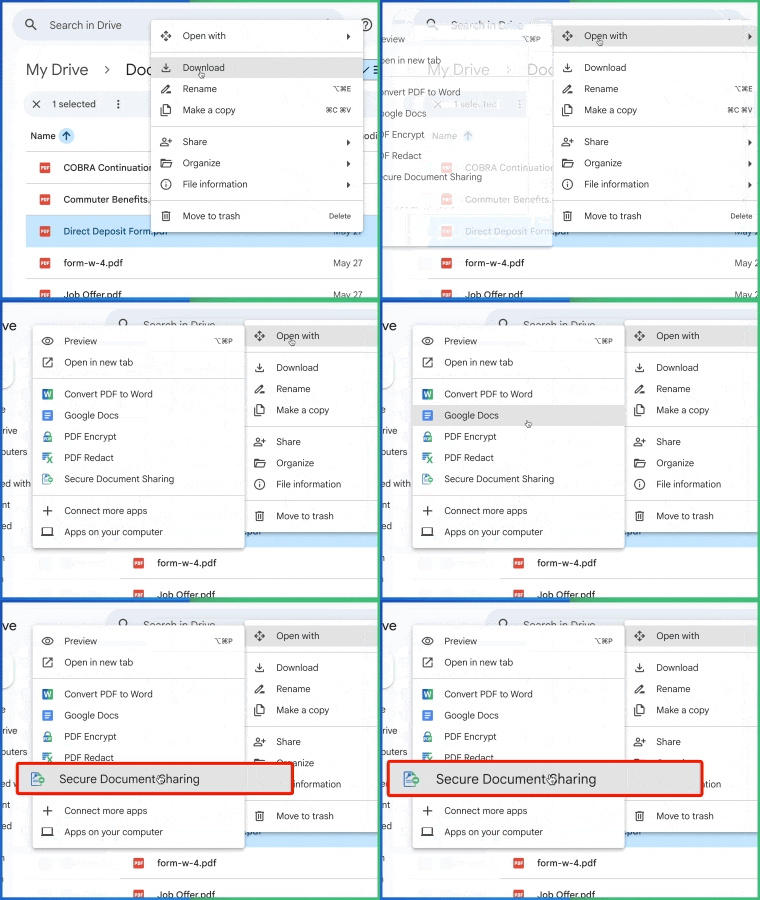
With the Google Workspace app, securing a file takes one right click. Select any file in Google Drive, choose Secure Document Sharing, set your password and protections, and copy your secure link. Drop it into Slack, a text, an email, or anywhere else you share files. It works with Google Docs, Sheets, Slides, PDFs, Microsoft Office files, images, and videos.
Turn Every Download Into a Lead (Google Workspace Add-On)
With the Secure Document Sharing add-on for Google Workspace, your secure links can do more than protect files. They can collect leads.
Post a secure link on your website, in a newsletter, or anywhere online. Before downloading your whitepaper, price list, or report, visitors enter their email address. Your dashboard shows exactly which email accessed the document, when, and from where.
Every download becomes a warm lead, captured effortlessly:
- Upload your whitepaper or lead magnet to Google Drive
- Create a secure share link with the Workspace add-on
- Post the link on your website or landing page
- Watch the dashboard collect the email and location of every download
Combine it with passwords and expiration dates for gated content that runs itself. 

Share Large Files (Gigabytes in Size)
Secure Document Sharing works for small PDFs as well as large files that are several gigabytes in size.
Send one protected link instead of large attachments. Recipients can download the file without needing special software.
Optimized for Mobile Devices
Recipients can open a protected link, enter the password, and view or download the file from a phone or tablet.
This makes it easy to share sensitive files while traveling, meeting clients, or working away from your desk.

For Google Workspace Administrators
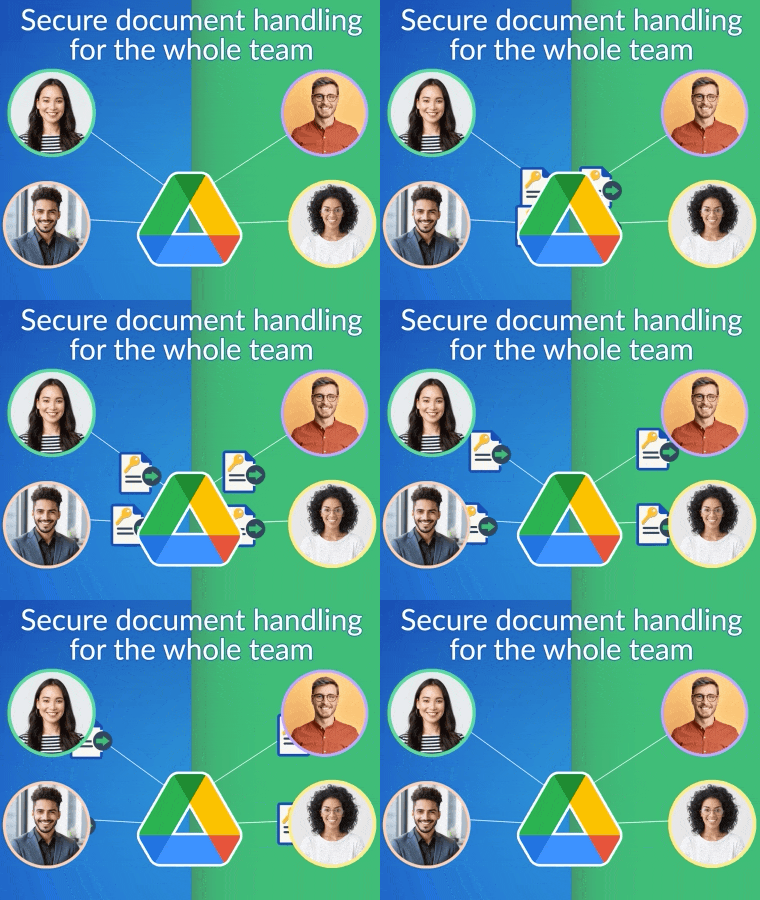
Google Workspace administrators can deploy Secure Document Sharing across their organization.
Teams can use consistent sharing rules, password controls, expiration settings, location limits, and download reports. This gives companies a simple way to manage sensitive file sharing across departments.
Loved by Professionals Who Share Sensitive Files
People use Secure Document Sharing to send files with more confidence. They like that it works inside Google Drive and Gmail, takes only a few clicks, and gives them a record of who accessed each file.
Here’s what some of our satisfied customers have to say:

5 Star Positive Reviews
Users consistently share excellent feedback about Secure Document Sharing by cloudHQ. Many highlight how easy it is to lock down a Google Drive file in a single click and how confident they feel knowing exactly who downloaded what. Others appreciate the time it saves their security and compliance teams. Whether for legal, finance, healthcare, or personal use, customers say the app delivers exactly what they need. Here’s what some of them have to say:
Secure Document Sharing by cloudHQ is designed for anyone who shares sensitive files and wants real control over who can access them, where, and for how long. Whether your files contain contracts, medical records, financial data, or simply private information, this app helps you avoid leaks, lost links, and uncontrolled forwarding.
Here are just a few ways professionals use it every day:
How You Can Use Secure Document Sharing (Use Cases)
Legal Professionals
Attorneys and paralegals often need to share contracts, depositions, or case files with strict access controls. With this app, they can send any document as a password-protected, expiring link, and see exactly who opened it and from where.


Technical and Industrial Professionals
Engineers and technicians often need to share blueprints, manuals, or proprietary specs that must not leak. By using Secure Document Sharing, they ensure that documents can only be opened with a password, only from approved locations, and only until a defined deadline.
Accountants and Financial Professionals
Accountants regularly handle invoices, tax returns, and financial statements that should never be exposed to the wrong recipient. Secure Document Sharing lets them send these files with passwords, expiration dates, and full download tracking for client peace of mind.


Marketers and Growth Teams
Marketing teams gate whitepapers, case studies, and price lists behind secure links that capture the email and location of every download. Instead of building a landing page and a form, they post one link and collect leads from the dashboard.
Corporate Teams
Departments such as HR, finance, and operations frequently need to distribute policies, salary data, and confidential reports. Secure Document Sharing guarantees that only the right people, in the right place, can see them, and only until the expiration time you set.


Government and Public Sector
Agencies share forms, internal memos, and reports that must be tightly controlled. With Secure Document Sharing, they can ensure files are only accessible to authorized recipients, only from specific geographies, and never beyond a defined expiration time.
Healthcare Professionals
Doctors and administrators can send referral letters, lab results, or patient instructions as password-protected links. The detailed download reports make it easy to demonstrate compliance and prove who accessed each record.


Students and Researchers
Students can share assignments and projects with professors using protected links that expire after grading. Researchers can share unpublished work, datasets, or papers with collaborators in a way that keeps their work private.
Educators and School Administrators
Teachers and administrators can share student records, exam materials, and meeting notes with strict controls. Password-protected, expiring links ensure that sensitive school information never leaks beyond the intended recipient.


Real Estate Agents and Brokers
From lease agreements to property reports and client financial information, real estate professionals can share documents securely with clients and partners while keeping a full audit log of who accessed what and when.
Event Planners and Hospitality
Event organizers can share contracts, vendor agreements, and finalized schedules with built-in expiration so older versions can never be confused with the latest one. Each share is also tied to a specific recipient and time window.


Nonprofits and Community Organizations
Nonprofits often share donor reports, financial statements, and confidential strategy documents. Secure Document Sharing helps them maintain trust by ensuring sensitive materials only reach the right people and never linger on the internet indefinitely.
Writers and Editors
Editors and authors often share unpublished manuscripts and drafts. With Secure Document Sharing, they can send these files in a way that prevents leaks: the recipient must enter a password, and the link can expire automatically once review is complete.


Freelancers and Consultants
Independent workers can deliver proposals, contracts, and final files to clients with password protection and expiration. Detailed download reports make it easy to prove that deliverables were received and reviewed.
International Teams
Global teams can use location-based restrictions to ensure that confidential files are only accessible from approved countries or regions, helping meet local data protection rules and internal compliance policies.

Anyone Who Shares Private Files
If a file matters, Secure Document Sharing helps you send it with more control, more visibility, and less risk.
No matter your field, Secure Document Sharing helps you save time, reduce risk,
and share files in a way that is consistent, professional, and fully under your control
Useful Across Industries: Legal, Corporations, Creative Work, and More
Secure Document Sharing by cloudHQ is designed for anyone who needs to share files in a controlled, professional way. Whether you are sending contracts, reports, designs, or financial records, this app ensures your files remain accessible only to the people you choose, only from the places you allow, and only for the time you specify.
In legal settings, attorneys and paralegals share contracts, deposition transcripts, and case files with clients and counterparties. With Secure Document Sharing, those files can be locked behind a password, restricted by geography, and set to expire after a deadline.
Government agencies handle internal memos, departmental reports, and regulated information. Sharing them via password-protected, expiring links makes it easy to comply with internal policies and audit requirements.
Creative professionals such as marketers, designers, and journalists frequently share unreleased drafts, visuals, and campaign materials. Secure Document Sharing keeps those assets safe from leaks and ensures clients see only the latest, time-bound version.
Technical and industrial professionals in fields like engineering, aviation, and robotics often distribute proprietary diagrams and manuals. Secure Document Sharing allows them to share those files only with approved partners and only from approved locations.
Educators and school administrators handle exam materials, student data, and internal communications. Secure Document Sharing helps protect that information with passwords, expiration dates, and full download logs.
Corporate teams in HR, finance, and operations send policies, salary data, board materials, and audit reports. Secure Document Sharing guarantees these documents reach only the right people and never linger on the internet beyond their useful life.
Healthcare professionals share patient records, lab reports, and care plans that must remain private. Secure Document Sharing gives them per-recipient passwords, optional location restrictions, and a clean audit trail.
Real estate agents and brokers share leases, inspection reports, and disclosures with buyers and sellers. Secure Document Sharing lets them confirm exactly who downloaded each document and from where.
Accountants and financial professionals manage tax returns, statements, and forecasts. Secure Document Sharing allows clients to receive their files securely and lets accountants prove who accessed what for compliance purposes.
Nonprofits and community organizations share grant applications, donor statements, and strategic plans. Secure Document Sharing preserves their confidentiality while keeping sharing as simple as a single Gmail action.
Event planners and hospitality professionals can share contracts and itineraries with clients and vendors, ensuring they always work from the latest, authorized version, and that older versions are no longer reachable.
International teams benefit by sharing files with country-level access controls, making it easier to comply with local privacy regulations across borders.
Students and researchers can share unpublished work and assignments with collaborators or professors using time-limited links. The expiration feature is especially useful for grading windows or peer review periods.
No matter your field, Secure Document Sharing saves time, reduces risk, and gives you full control over the files you share with the rest of the world.
Frequently Asked Questions
Is Secure Document Sharing Safe?
Yes, your documents are completely secure when using this app:
- We do not store any of your documents on our servers - files remain in your Google Drive.
- All communication with cloud services is encrypted using SSL.
- Passwords for share links are never stored in plain text.
- Our software and infrastructure are regularly updated with the latest security patches.
- Our network is protected by an enterprise-class firewall.
- Authentication with Google is handled via OAuth and OpenID, ensuring secure access without compromising your credentials.
Who Should Use Secure Document Sharing?
Anyone who needs to share files with full control over access can benefit from this app. Here are just a few examples:
- Legal professionals who need to share contracts, case files, and depositions with clients and opposing counsel in a controlled, auditable way.
- Government employees who must share forms, public notices, and internal reports with strict controls over who can access them and where they can be opened from.
- Writers, editors, and creative teams who want to share unreleased drafts, deliverables, and marketing materials without worrying about leaks or forwarding.
- Corporate teams in HR, finance, and operations who share policies, onboarding packets, salary data, and audit reports that should not leak outside the organization.
- Technical and industrial professionals in fields such as engineering, robotics, aviation, and automotive who share proprietary diagrams, manuals, and specifications with approved partners only.
- Healthcare workers who share patient instructions, referral letters, and lab reports that must be kept confidential and traceable.
- Educators and school administrators who share exam materials, lesson plans, and student data with controlled access and expiration.
- Real estate professionals who share leases, inspection reports, and property disclosures with buyers and sellers in a secure, professional way.
- Accountants and financial professionals who handle tax returns, financial statements, and audit material and need to share these reliably and securely.
- Freelancers and consultants who deliver contracts, proposals, and final assets to clients with built-in expiration and download tracking.
- Nonprofits and community organizations who share donor reports, grant applications, and strategy documents with select stakeholders.
- Event planners and hospitality professionals who share schedules, vendor agreements, and itineraries with clients and vendors.
- International teams who collaborate across countries and need location-based controls to comply with local data protection regulations.
- Students and researchers who share assignments, theses, and unpublished research papers with professors and collaborators using time-limited links.
Anyone who values speed, simplicity, and real security when sharing documents can rely on Secure Document Sharing by cloudHQ to deliver professional results every time.
How do I password protect a PDF for free?
Select the PDF in Gmail or Google Drive, choose Secure Document Sharing, and set a password. You get a protected link to share instead of an unprotected attachment. No Adobe Acrobat required.
How do I password protect an Excel file or Word document?
The same three steps work for any file type: pick the file, set a password and expiration date, send the link. The file stays in your Google Drive and recipients never need Microsoft Office.
Can I password protect a zip file or an entire folder?
Yes. Share a folder or archive from Google Drive as a single protected link, even if it is gigabytes in size.
How do I send a secure file from Gmail?
Install the Chrome or Edge extension, compose your email, click the Secure Document Sharing button, pick your file, and set your protections. The secure link is inserted directly into your message.
Can I stop sharing a file after I send the link?
Yes. You can pause a share temporarily or stop it permanently at any time, and you can set links to expire automatically on a schedule.
Can I see who downloaded my file?
Yes. Every share link includes a report showing who accessed the file, when, from what IP address and location, and how many times.
Can I use secure links to collect leads?
Yes. With the Google Workspace add-on, you can post a secure link on your website and require an email address before the file downloads. The dashboard shows the email and location of every download.
Testimonials
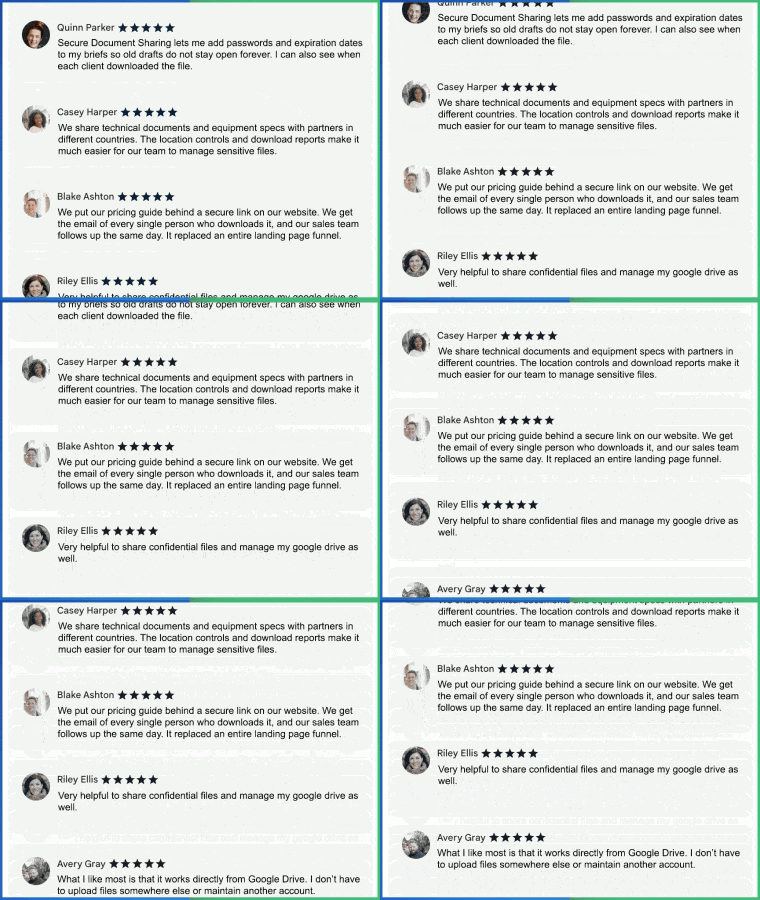
“As a marketing strategist, I share campaign briefs and design drafts with clients every week. Secure Document Sharing lets me add passwords and expiration dates, so old drafts do not stay open forever. I can also see when each client downloaded the file.”
- Amelia Chen, Marketing Strategist
“We share technical documents and equipment specs with partners in different countries. The location controls and download reports make it much easier for our team to manage sensitive files.”
- Daniel Okafor, Senior Quality Assurance Specialist
“We put our pricing guide behind a secure link on our website. We get the email of every single person who downloads it, and our sales team follows up the same day. It replaced an entire landing page funnel.”
- Marcus Webb, Demand Generation Manager